Buildin vs. Apple Notes: The Difference Between an All-In-One Workspace and Ultimate Ecosystem Convenience
As the need for note-taking shifts from "casual note-taking" to "systematic management," the difference in positioning between Apple Notes and Buildin becomes particularly crucial.
In an era of abundant digital note-taking tools, the choice often reflects the user's core workflow. Apple Notes, as the native app within the Apple ecosystem, defines the experience of "jotting down notes" with its unmatched convenience and deep integration. In contrast, Buildin, as an emerging all-in-one AI workspace, aims to become the central productivity hub for modern knowledge workers and creators.
This comparison is not merely a feature-by-feature checklist—it reveals a difference in design philosophy: "ultimate convenience within a closed ecosystem" versus "a comprehensive workflow on an open platform." Understanding this distinction is key to finding the digital extension that truly fits you.
1. Core Philosophy and Platform Ideology
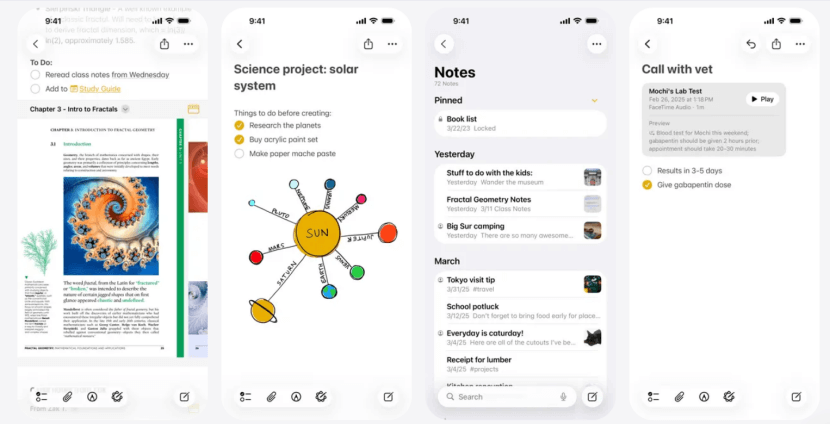
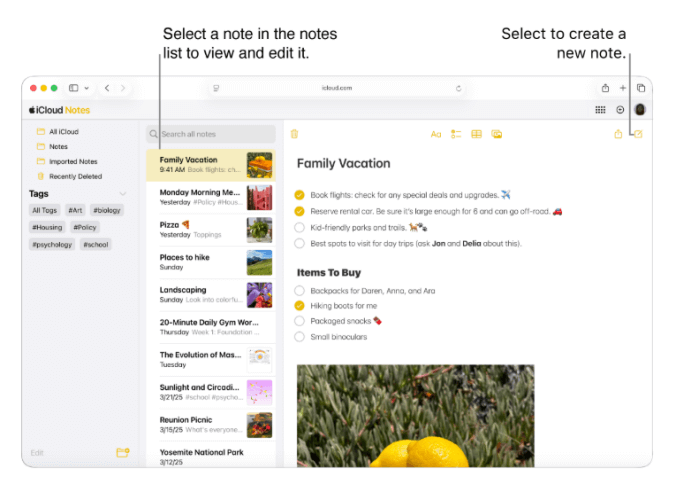
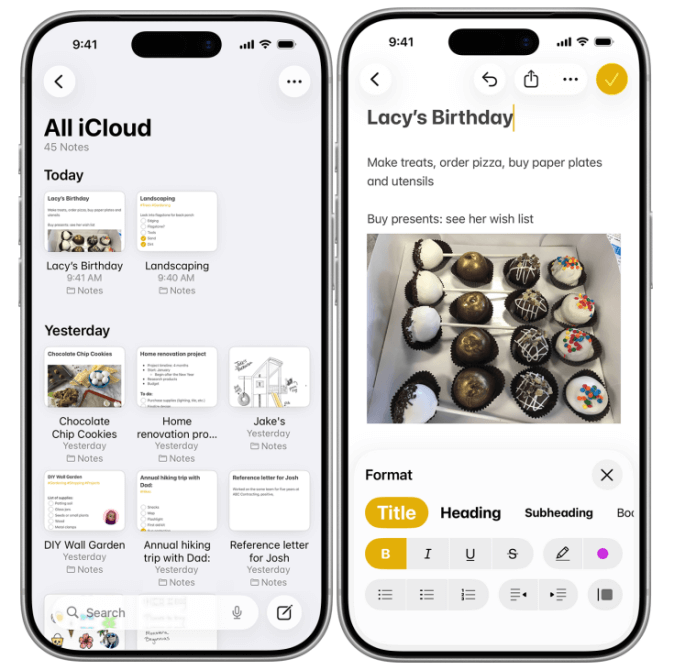
The design philosophy of Apple Notes is rooted in "Immediacy and Effortlessness." It is not a standalone app that you need to "open" and "enter"; rather, it is a natural extension of the Apple operating system's perception and recording capabilities.
From tapping the lock screen with an Apple Pencil to jot down a quick note, to saving content from any webpage or app with a single click via the share menu, to asking Siri for a voice memo—the ultimate goal of Apple Notes is to eliminate all friction from the act of recording itself. It perfectly embodies Apple's "It just works" ethos. Data silently syncs across devices via iCloud, making Apple Notes a reliable, free, and omnipresent digital notepad in the user's life.
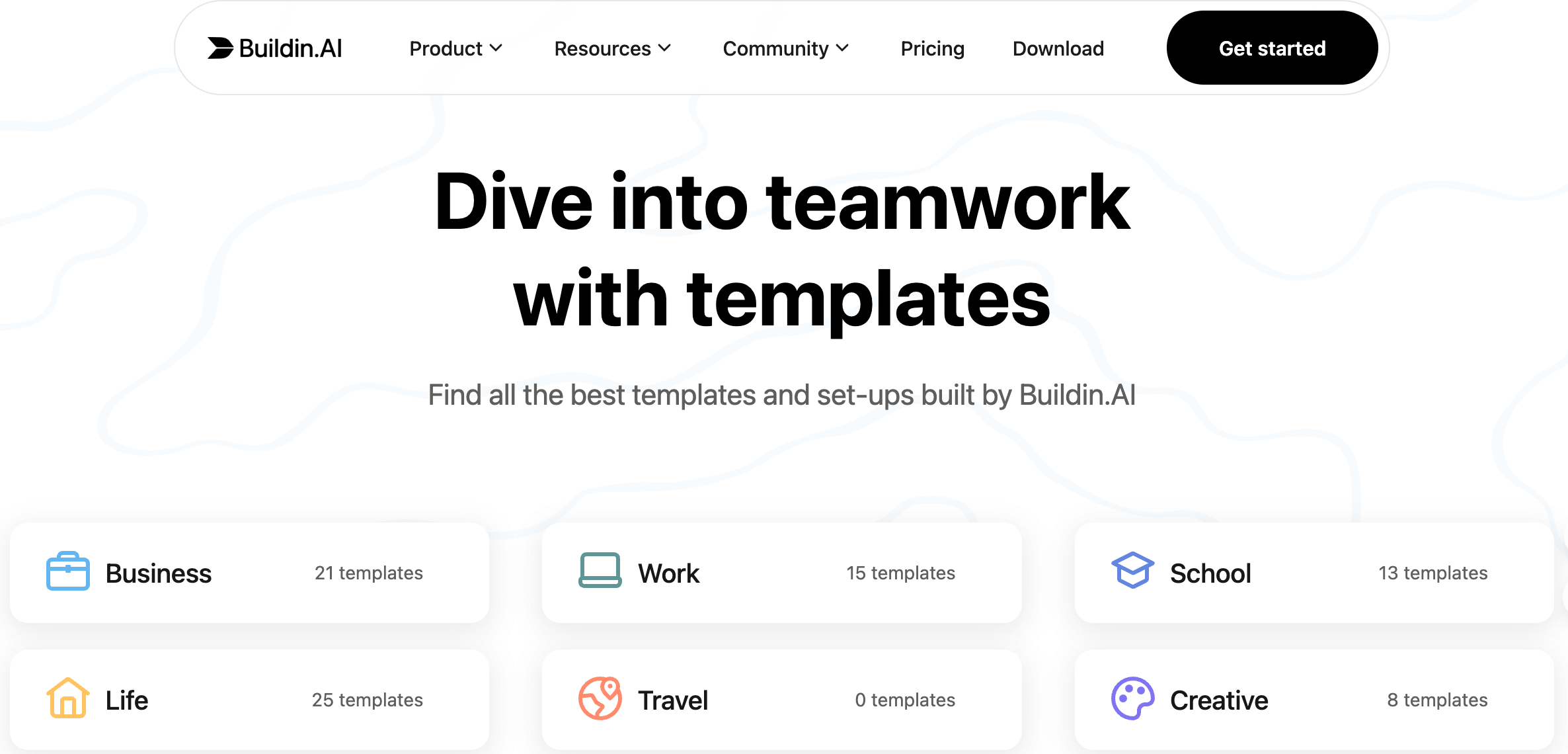
Buildin, on the other hand, represents a philosophy of "Integration and Creation." It posits that the greatest efficiency drain in modern workflows is not the act of recording itself, but the mental energy and time spent constantly switching between different tools and apps, copying and pasting, and converting formats.
Therefore, Buildin positions itself as a unified digital workbench, seamlessly integrating once-scattered functions—such as document editing, project management, team collaboration, knowledge base buildin, mind mapping, and even content monetization—into a coherent interface and data structure. Its aim is to enable users to smoothly complete the entire process, from capturing inspiration and deepening thought to team execution and final value realization, all within a single environment.
2. Comprehensive Comparison of Core Features
| Comparison Dimension | Apple Notes | Buildin | Analysis of Essential Differences |
|---|---|---|---|
| Core Positioning | System-level personal memo & quick-capture tool | Integrated AI workspace & knowledge operation platform | "Quick-capture Tool" vs. "Production Hub" |
| Platform & Ecosystem | Exclusive to Apple ecosystem; deeply integrated with iOS, iPadOS, macOS | Cross-platform support for Web, Windows, macOS, iOS, Android | Experience tied to hardware vs. Experience follows the account |
| Editor & Organization | Rich text, checklists, handwriting, document scanning; linear management based on folders & tags | Modular editor, multi-dimensional databases, bidirectional linking, one-click switch to mind maps; structured & visual knowledge management | Simple Archiving vs. Systematic Building |
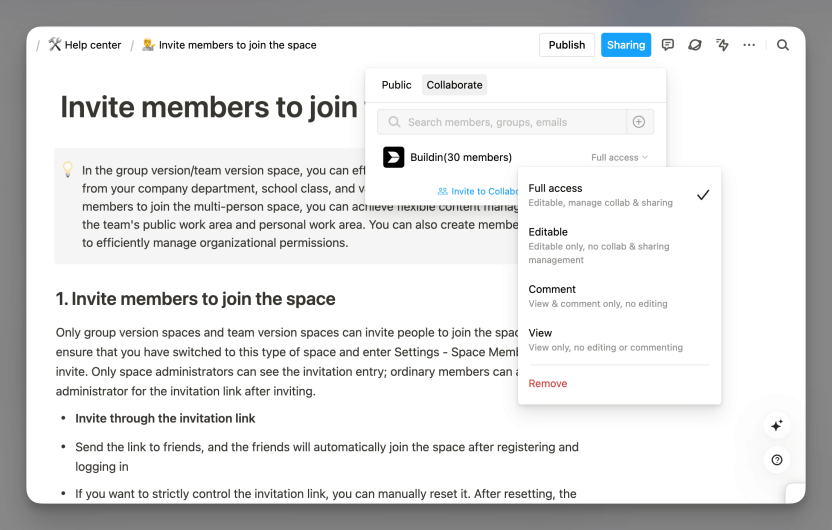
| Collaboration Capabilities | Basic note or folder sharing | Real-time multi-user online editing, fine-grained permissions (page/module level), @mentions, comment threads | Content Sharing vs. Process Collaboration |
| AI Capabilities | Leverages system-level Apple Intelligence for basic text correction, dictation & summarization | Native AI knowledge base; supports cross-document smart Q&A, content generation, context-aware summarization & inspiration sparking | Passive Assistance vs. Active Empowerment |
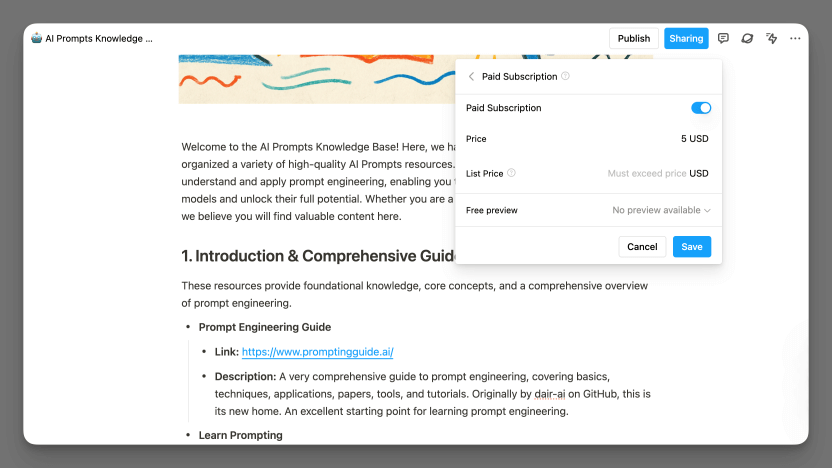
| Content Monetization | Not supported | Native paywall & subscription system; supports one-time sales, recurring subscriptions, built-in payments & membership management | Pure Consumption Tool vs. Integrated Production & Monetization Tool |
| Data Control & Security | Apple's system-level security architecture & iCloud privacy policies; mature end-to-end encryption & account-level protection; extremely high security | Cloud-based encrypted collaboration + enterprise-grade private deployment options; supports self-hosted servers & private LLM integration | System-level Privacy Custody vs. Data Sovereignty & Deployment Choice |
| Pricing Strategy | Syncs via iCloud; once the free 5 GB storage is used up, a paid iCloud storage upgrade is required to continue syncing | Free basic plan + premium subscriptions (Plus ~$10/month, Business ~$15/user/month) | Pre-installed Benefit vs. Paying for Professional Capability |
3. Ideal Use Cases and Potential Limitations
Apple Notes: Its Strengths and Constraints
Its strength lies in its unparalleled ecosystem convenience. For users deeply invested in the Apple ecosystem, there is no faster entry point for capturing a sudden spark of inspiration. Features like document scanning, handwriting recognition, and smart folders excel in daily, lightweight use. However, its limitations are equally evident:
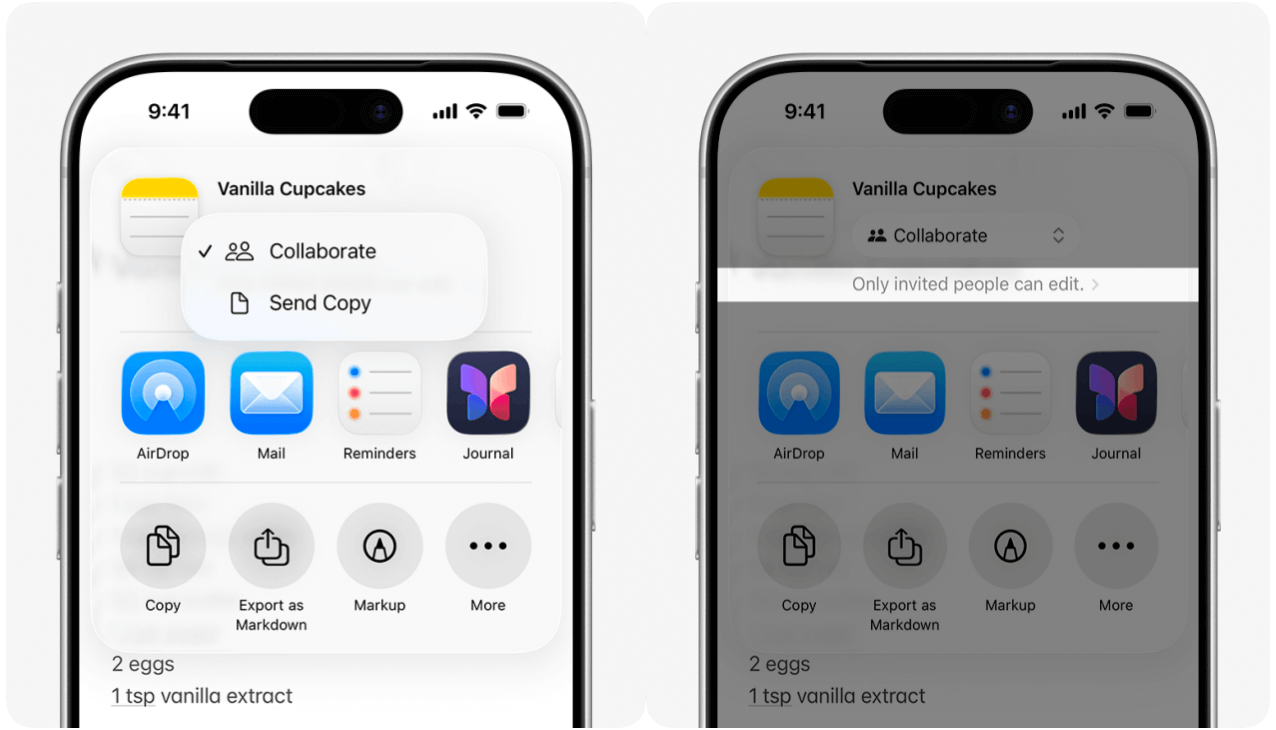
Collaboration features are weak, suitable only for very basic sharing.
The ecosystem is highly closed, making exporting and migrating data to other platforms quite cumbersome.
Functionality is nearly non-extensible, unable to accommodate complex project management or structured knowledge-building needs.
Buildin: Powerful Empowerment and Its Learning Curve
The core advantage of Buildin lies in the comprehensive efficiency leap brought about by integration.
It replaces the need for multiple tools like Notion (documents and databases), Trello (project management), Gumroad (content monetization), and XMind (mind mapping) to collaborate on tasks—solving these workflows within a single platform. Its AI can understand the context of the entire workspace, providing deep insights.
However, for users, this power comes at a certain cost of learning and adaptation:
Users need to shift from traditional "folder-based" thinking to a more flexible "database" and "bidirectional linking" mindset to fully unlock its potential.
Its advanced features also require a paid subscription.

4. How to Choose: A Key Decision Guide
Your choice should not be based on the number of features, but on a diagnosis of your own workflow.
You should choose Apple Notes without hesitation if:
You are a pure resident of the Apple ecosystem: Your workflow is completely closed-loop between your iPhone, iPad, and Mac.
Your core need is "quickly recording and reviewing": You primarily jot down fleeting thoughts, shopping lists, meeting notes, or save web pages and scanned documents, without involving complex processing.
You prioritize zero cost and zero learning curve: You want a pre-installed, free, out-of-the-box tool that requires no learning.
Your collaboration needs are extremely simple: You only need to occasionally share simple lists or information with family or one or two colleagues.
In the following scenarios, investing in Buildin will deliver substantial returns:
Cross-Platform Work Warrior: You regularly move between a company Windows PC, a personal MacBook, and an Android phone.
Team Collaboration Organizer: You need to manage projects, assign tasks, build team knowledge bases, and rely on real-time collaboration with clear permission controls.
Content Creators & Knowledge Entrepreneurs: You wish to directly transform your notes, templates, courses, or research reports into manageable revenue streams.
Manager of Complex Information: The information you handle requires multi-dimensional tagging, property filtering, view switching, and visual connections.
Enterprise Focused on Data Sovereignty & Customization: Your team has strict data compliance requirements, needs private deployment, or desires deep integration with proprietary AI models.
Not About Replacement, But Defining Your Workflow
The comparison between Apple Notes and Buildin is, at its core, not a debate about which tool is "better." Instead, it reflects two distinct philosophies of productivity and lifestyles.
Apple Notes is an "extension of the environment": It perfectly serves users who are deeply immersed in the Apple ecosystem and seek instant, "thought-to-capture" recording. It is like an omnipresent, intelligent sticky note—reliable, quiet, and with zero barrier to entry—making it an excellent companion for personal memory and lightweight information management. Its strength lies in its seamless integration into scenarios and frictionless user experience.
Buildin is the "central hub of the system": It targets modern knowledge workers and teams who need to build systems, connect information, manage projects, and ultimately create value. It is no longer a simple note-taking app, but a programmable, extensible, and collaborative digital work environment. Its value lies in integrating a fragmented tool stack, using structure and intelligence to transform information into insights and output.
Therefore, the answer to your choice does not lie in a feature checklist, but in your answers to the following questions:
Are you documenting life or building projects?
Does your workflow revolve around the convenience of a single ecosystem, or does it center on cross-platform, cross-functional collaboration?
Is your core need the rapid input and retrieval of information, or is it the deep reorganization, connection, and reproduction of knowledge?
The future trend is already clear: AI is evolving from a passive tool into an active partner, and workflows are moving from fragmentation towards integration. Apple Notes represents the pinnacle of native intelligence and seamless experience within an ecosystem, while Buildin outlines a future blueprint for an open, all-in-one AI workspace.
Ultimately, there is no "best" tool, only the "most suitable" system. Understand how your information world operates, and choose the partner that becomes a natural extension of your thinking, not an additional burden.

Lisa Wang
Attentive to the details of digital writing and productivity tools, and experienced in shaping scattered information into structured content. Responsible for product experience documentation, user feedback analysis, and initial content drafting at Buildin.