Buildin vs. Notion: The Ultimate 2026 Comparison for Creators and Teams
In 2026, an all-in-one workspace is a must-have for productivity software. Long the modular benchmark, Notion now faces a "ceiling" due to gaps like no native monetization, enterprise data privacy risks and lag with large databases. This drives demand for alternatives, and Buildin (buildin.ai) steps up—not a clone, but an evolution. It integrates professional knowledge management, native content monetization and private enterprise deployment to solve Notion's pain points, delivering a better 2026 workflow solution.
Buildin vs. Notion: The Ultimate 2026 Comparison for Creators and Teams
Introduction: The Evolution of the All-in-One Workspace
In the productivity software landscape of 2026, the "all-in-one" workspace is no longer a luxury—it is a requirement. For nearly a decade, Notion has been the standard-bearer for modular productivity. However, as the digital economy matures, users are hitting the "Notion ceiling." Whether it is the lack of native monetization, data privacy concerns for enterprises, or the performance lag in massive databases, the search for the best Notion alternatives has intensified.
Enter Buildin (buildin.ai). Buildin isn't just a clone; it is an evolution. By integrating professional-grade knowledge management, native content monetization, and private enterprise deployment, Buildin addresses the specific pain points that Notion has left unresolved. This guide provides a deep-dive comparison to help you decide which platform will anchor your workflow in 2026.
1. Core Philosophy: Generalist vs. Specialist
Notion: The Infinite Blocks
Notion's philosophy is built on "blocks." It is a generalist tool designed to be a Lego set for your data. Its strength lies in its flexibility—you can build anything from a grocery list to a complex CRM. However, this "blank slate" approach often leads to a high learning curve and "setup fatigue," where users spend more time building the system than doing the actual work.
Buildin: The Revenue-Generating Second Brain
Buildin takes the block-based flexibility of Notion but adds a layer of professional specialization. It is designed specifically for knowledge entrepreneurs and high-security teams. While it functions as an elite knowledge management tool, its core DNA is built around "Value Realization." Buildin doesn't just want you to store information; it wants you to structure it, secure it, and—if you choose—profit from it.
2. The Game Changer: Content Monetization
The Information Gain: Why Buildin Wins for Creators
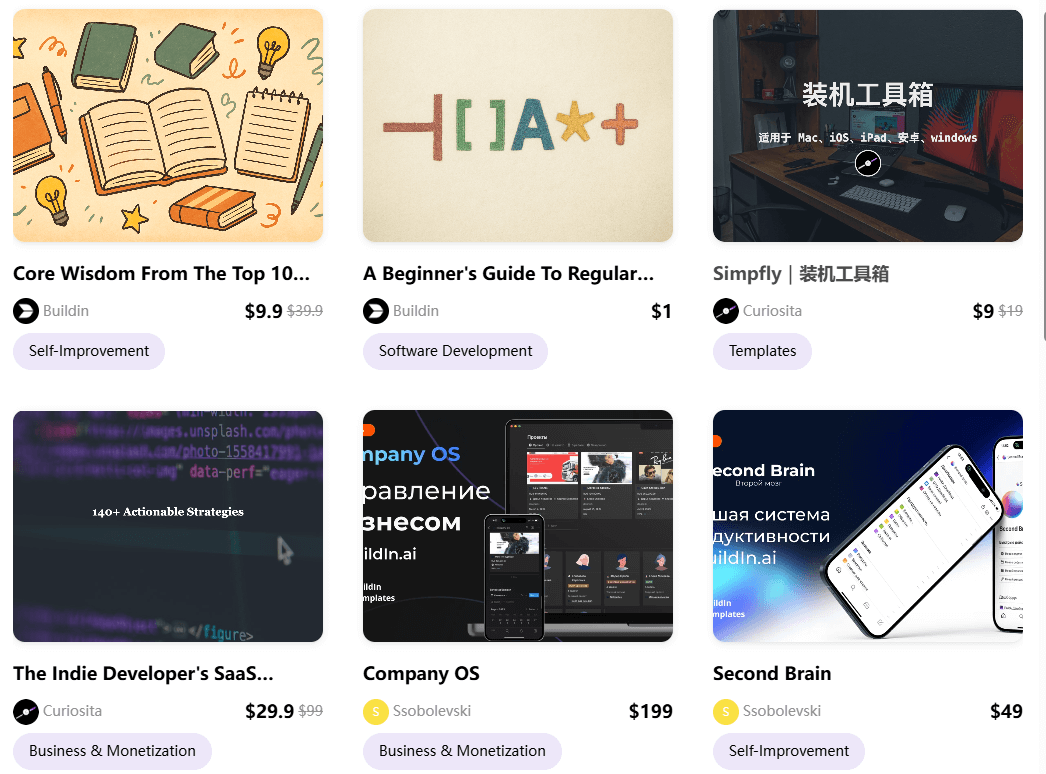
For years, the "Creator Stack" has been fragmented. A typical educator or consultant uses Notion to draft content, Gumroad to sell it, Stripe to process payments, and ConvertKit to manage the audience.
Buildin collapses this stack. It is the first major all-in-one workspace to offer native paid subscriptions and one-time purchases.
Direct Access: Your subscribers read your content directly within Buildin. There are no PDFs to download or external links to manage.
Dynamic Content: Unlike a static ebook sold on third-party platforms, a Buildin subscription gives users access to a living, breathing database that you can update in real-time.
Zero Friction: You can turn a single page or an entire workspace into a premium product with a few clicks.
Notion's Limitation: While Notion launched its official Marketplace in late 2024, it remains a heavily gated ecosystem. Unlike Buildin's instant activation, Notion requires creators to apply to a waitlist and undergo a manual review process before they can sell. Furthermore, the cost of doing business is significantly higher: Notion charges a 10% commission plus $0.40 per transaction (with an additional 1% fee for non-US creators).
3. Massive Scalability: 1,000 External Collaborators
For agencies, consultants, and large-scale communities, the "Guest" limit is often the first wall you hit in Notion.
Notion's Constraint: On the Notion Business plan, you are capped at 250 guests. While this sounds like a lot, a growing marketing agency or a large online course creator quickly finds this limit restrictive, forcing an expensive jump to Enterprise tiers.
Buildin's Advantage: Buildin Business supports up to 1,000 external collaborators. This 4x increase in capacity allows you to share specific pages or projects with a vast network of clients, freelancers, or students without the friction of seat-management or astronomical costs.
4. Data Visualization: Unlimited Charts for All
In 2026, a workspace without data visualization is just a text editor. While both tools have introduced charting, the accessibility differs wildly.
Notion's Paywall: Notion recently introduced "Notion Charts," but Free users are limited to just one chart view per workspace. To gain unlimited charts, you are pushed toward a paid subscription. Furthermore, charts in Notion are tied strictly to database views.
Buildin's Flexibility: Buildin offers Unlimited Chart Blocks, even for Free users. By simply typing
/chart, you can instantly visualize your data through bar, line, or pie charts. While currently implemented as a standalone block (with a more integrated "View" style planned for the future), this freedom allows data-driven researchers and students to visualize their entire "Second Brain" without hitting a paywall.
5. Visual Thinking: Integrated Mind Maps
One of the most requested features in the history of productivity apps is the ability to switch between "Linear Thinking" (pages) and "Visual Thinking" (mind maps).
Notion: Users are forced to use external tools like Miro or Whimsical and embed them into pages. These embeds are often slow and non-interactive.
Buildin: Buildin features native mind mapping. You can map out a project's logic or a course syllabus visually and then convert those nodes directly into nested pages or database items. This seamless transition ensures that your creative "brainstorming" phase is never disconnected from your "execution" phase.

6. Security & Privacy: Cloud vs. On-Premise
For enterprises and government agencies, the "Cloud-only" model is a significant risk.
Notion: As a SaaS-only platform, your data lives on Notion's servers. While secure, it does not meet the strict data residency or "Air-Gap" requirements of many high-security industries.
Buildin: Buildin offers private enterprise deployment. Large organizations can host Buildin on their own private servers or VPC (Virtual Private Cloud). This ensures 100% data sovereignty. If your team handles sensitive IP or regulated data, Buildin provides a level of control that Notion simply cannot match.
7. AI Capabilities: Writing vs. Knowledge Retrieval
Notion AI: The Creative Assistant
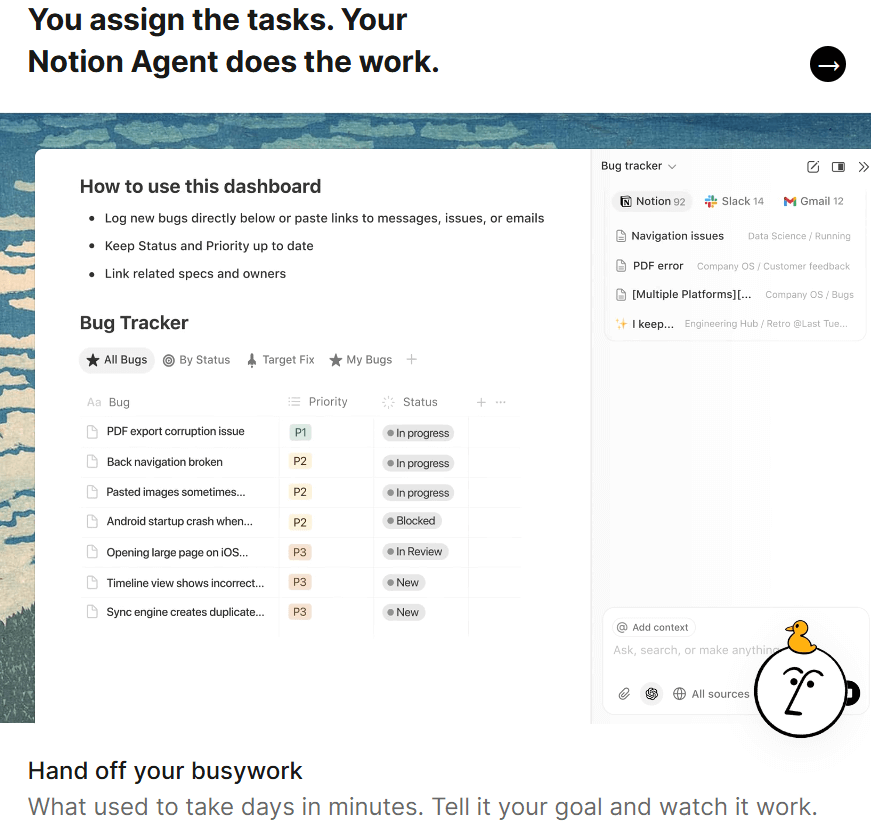
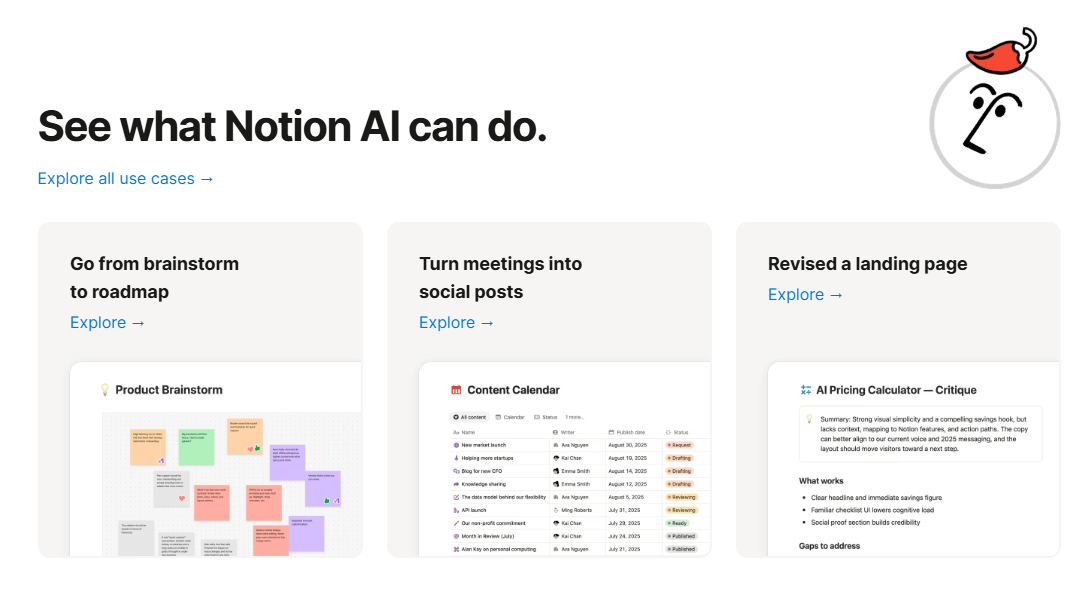
Notion has set a high bar by evolving its AI from a simple writing assistant into a sophisticated AI Agent.
Autonomous Workflows: Beyond just summarizing meetings or fixing grammar, Notion's latest AI features can act as an agent—managing project updates, automating repetitive tasks, and connecting data across different apps.
Market Leader: Currently, Notion holds a lead in "Agentic" capabilities, making it a powerful choice for those who want their AI to take autonomous actions within their workspace.
Buildin AI: The Intelligent Knowledge Base
While Buildin is currently in an earlier stage of its AI roadmap compared to Notion's agentic features, it takes a more focused, data-centric approach to knowledge management.
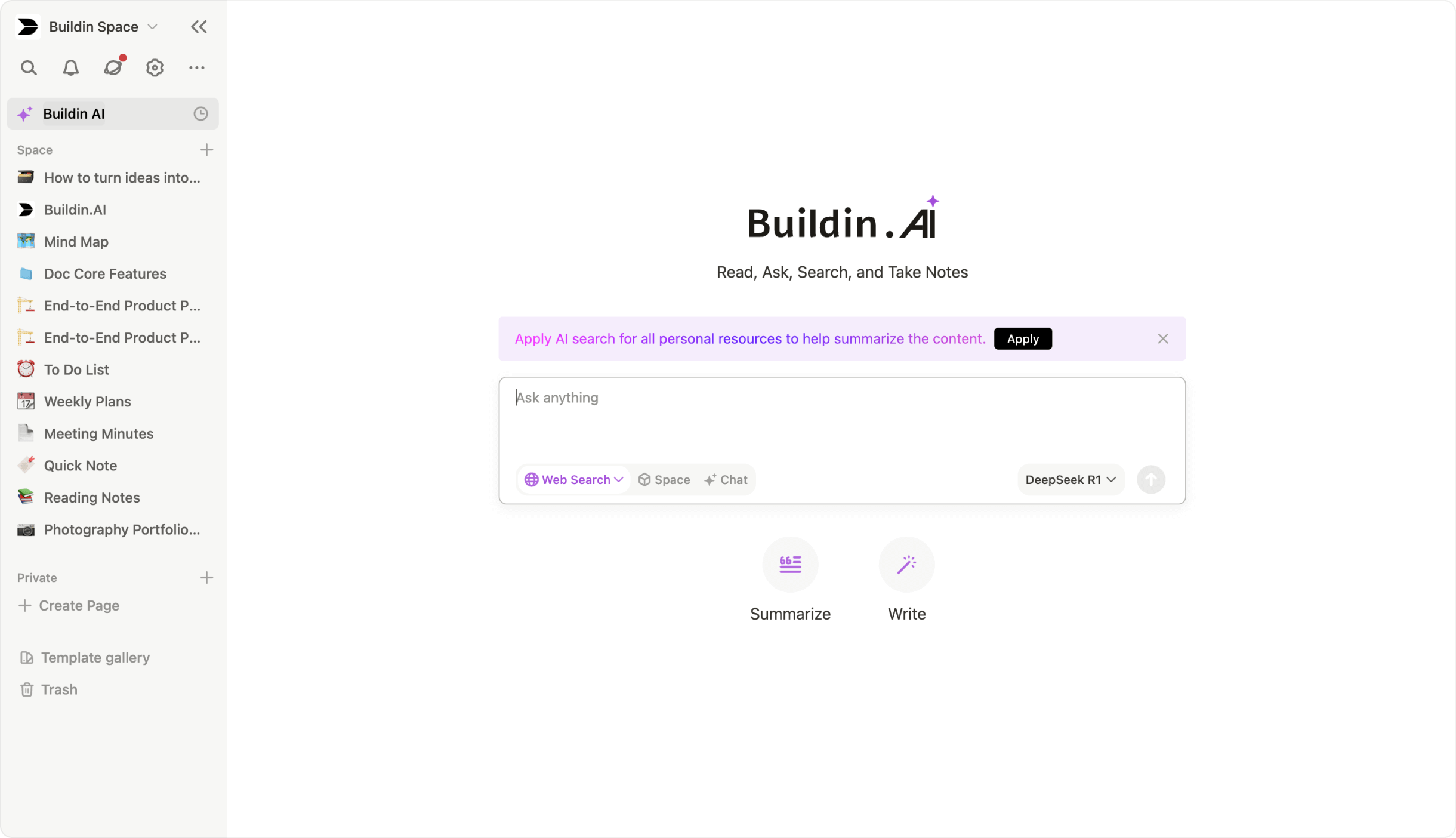
Intelligent Q&A & Semantic Search: Buildin's current strength lies in its ability to act as a "Consultant" for your data. Its AI understands the deep context of your notes, allowing you to ask, "What were the key takeaways from my 2023 project with Client X?" and receive a synthesized answer from across multiple databases.
Content Repurposing: It excels at transforming existing long-form articles into social media posts or structured mind maps instantly.
Future-Ready Transparency: We believe in being honest with our users—while Buildin currently focuses on high-precision Q&A and retrieval, we are actively optimizing our engine. The development of autonomous Agent capabilities is a core part of our 2025 roadmap, aiming to bridge the gap and provide the same level of automation that Notion users enjoy, combined with our superior private deployment security.
8. Migration: The Notion API Advantage
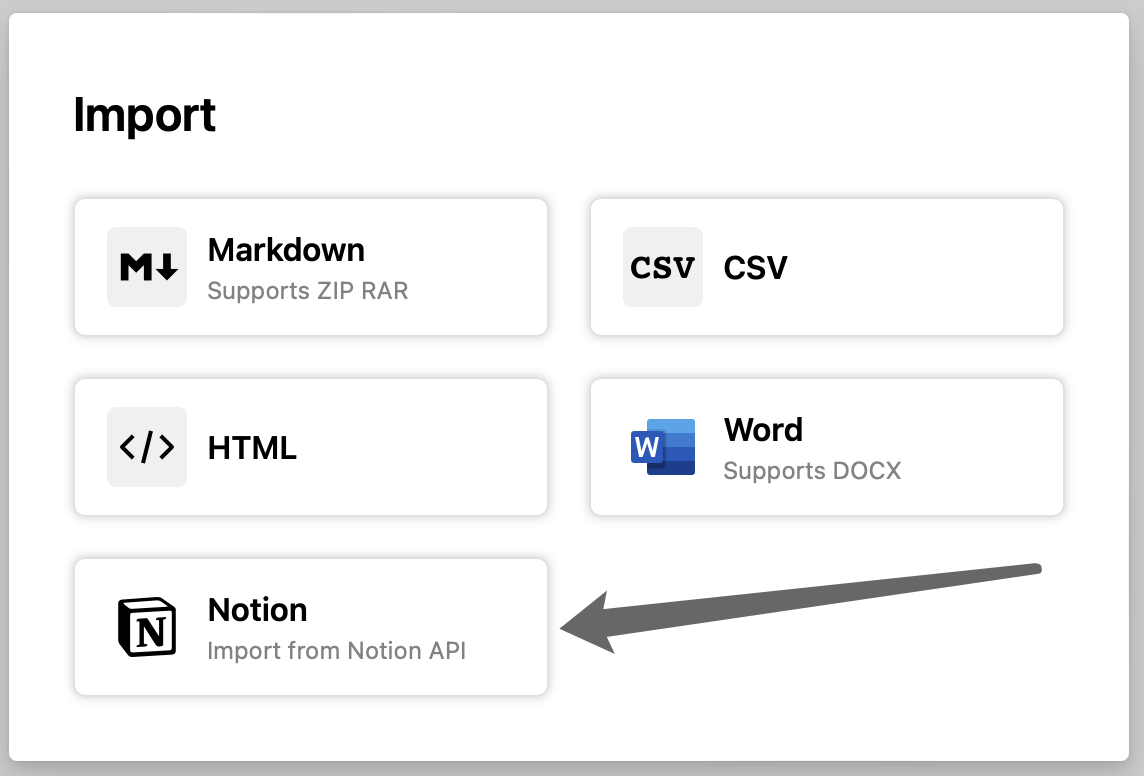
The biggest "switching cost" is the fear of losing years of work. Many Notion alternatives claim they can import data, but they usually rely on Markdown or CSV files, which strip away the "magic" of Notion (the databases, the relations, and the properties).
Buildin has solved this with a dedicated Notion API Import tool.
Connect your Notion account via the official API.
Select the workspaces you want to move.
Buildin reconstructs your pages, including complex database relations and formatting, inside the Buildin environment.
This makes the transition from Notion to Buildin a matter of minutes, not days of manual reconstruction.
Let's Talk About Pricing
Choosing a tool is an investment, not just a cost. Here is how the numbers stack up for 2026.
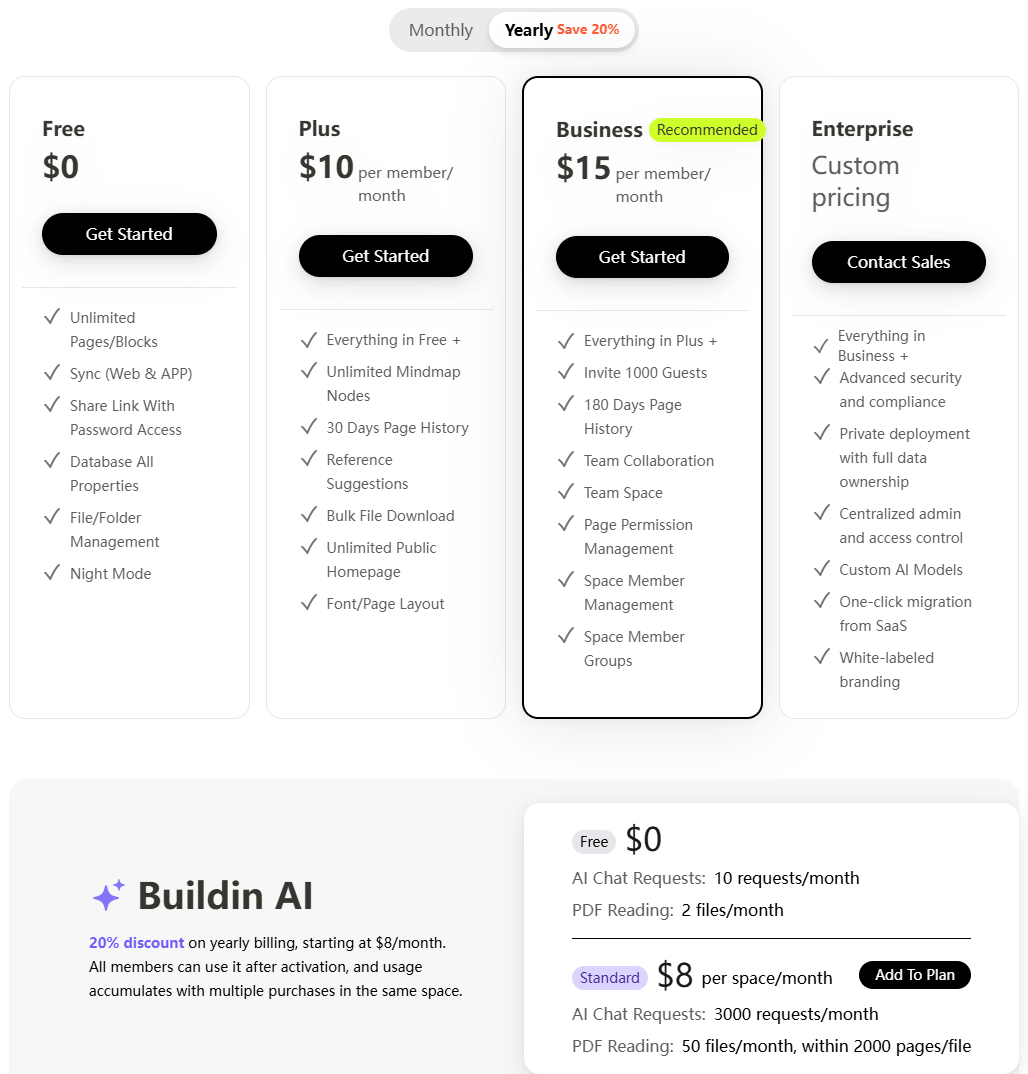
Buildin Pricing
Free ($0/month): Generous access to core features, including unlimited pages and blocks for individuals.
Plus ($10/month/user): Competitive rates that include unlimited mindmap nodes, 30-day page history, and the ability to start content monetization.
Business ($15/month/user): Enhanced team collaboration, 180-day history, and advanced permission management.
Enterprise (Custom): Custom quotes for private enterprise deployment, providing value that goes beyond simple software licensing—it provides total data sovereignty and security compliance.
Notion Pricing
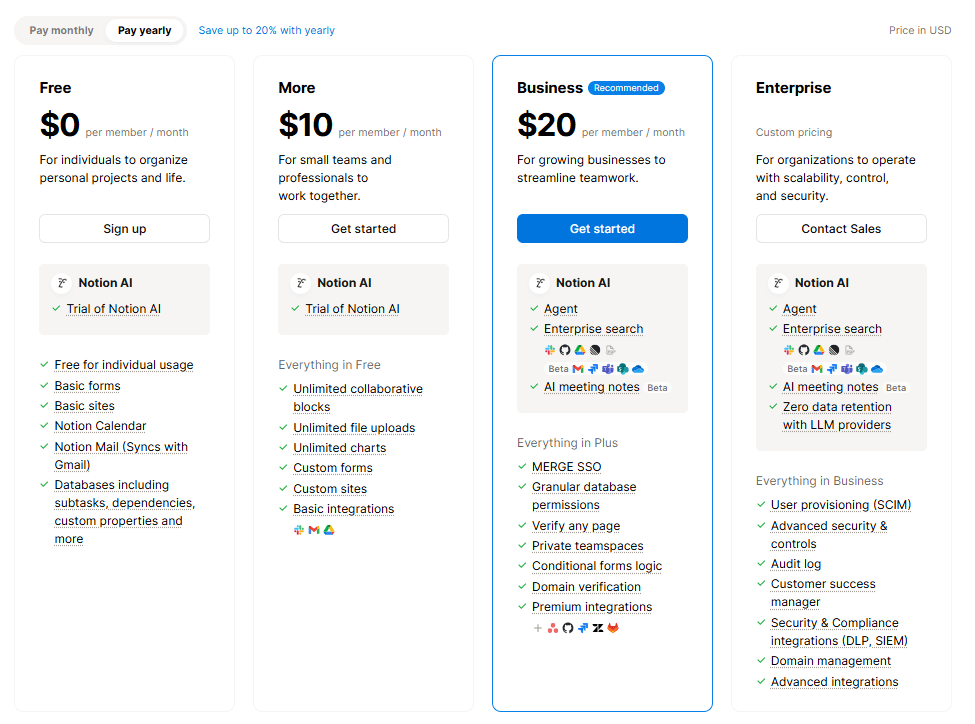
Free ($0/month): Basic individual use; limited blocks for teams.
Plus ($10/month/user): Unlimited blocks and 30-day history.
Business ($20/month/user): Advanced search and 90-day history.
Enterprise (Custom): Dedicated support and security, but strictly cloud-based (SaaS).
The Value Verdict
If you plan to use your workspace to generate revenue through templates or subscriptions, Buildin effectively pays for itself. A single $15 sale of a template on your Buildin site covers your monthly cost. In contrast, Notion is strictly an expense line item on your P&L, often requiring additional monthly subscriptions to third-party tools (Gumroad, Website Builders) to achieve what Buildin does natively. Furthermore, for businesses, Buildin's Business plan is 25% cheaper than Notion's, offering a clear ROI on team scaling.
9. Final Verdict: Which One Should You Choose?
| Goal | Winner | Reason |
|---|---|---|
| Monetizing Knowledge | Buildin | Native subscription and payment features. |
| Enterprise Security | Buildin | Private on-premise deployment options. |
| Visual Planning | Buildin | Built-in interactive mind maps. |
| General Note-Taking | Notion | Massive library of community templates. |
| AI Data Retrieval | Notion | AI Agent |
Choose Buildin If:
You are a digital creator, educator, or a team that values data security and revenue generation. Buildin is the best Notion alternative for those who want to turn their notes into a professional asset. Start your journey at buildin.ai.
Choose Notion If:
You are a student or a casual user who needs a free, basic cloud-based notebook and enjoys tinkering with community-made aesthetics.

Sency Shen
Skilled in content structuring, topic breakdown, and background research, with a strong interest in knowledge management and content workflows. Responsible for research, information organization, and foundational content preparation at Buildin.